



LightningMaps Review: Real-Time Storm Tracking for the Curious Mind
LightningMaps does one thing, and it does it without any modern fanfare. It pulls global lightning strike data onto a clean, readable map interface. For anyone fascinated by active weather, there’s a strange satisfaction in opening this app and seeing exactly where the electrical chaos is unfolding in real-time. It strips away forecasts and social features, leaving only a data stream that storm enthusiasts actually need.
The Raw Data Experience
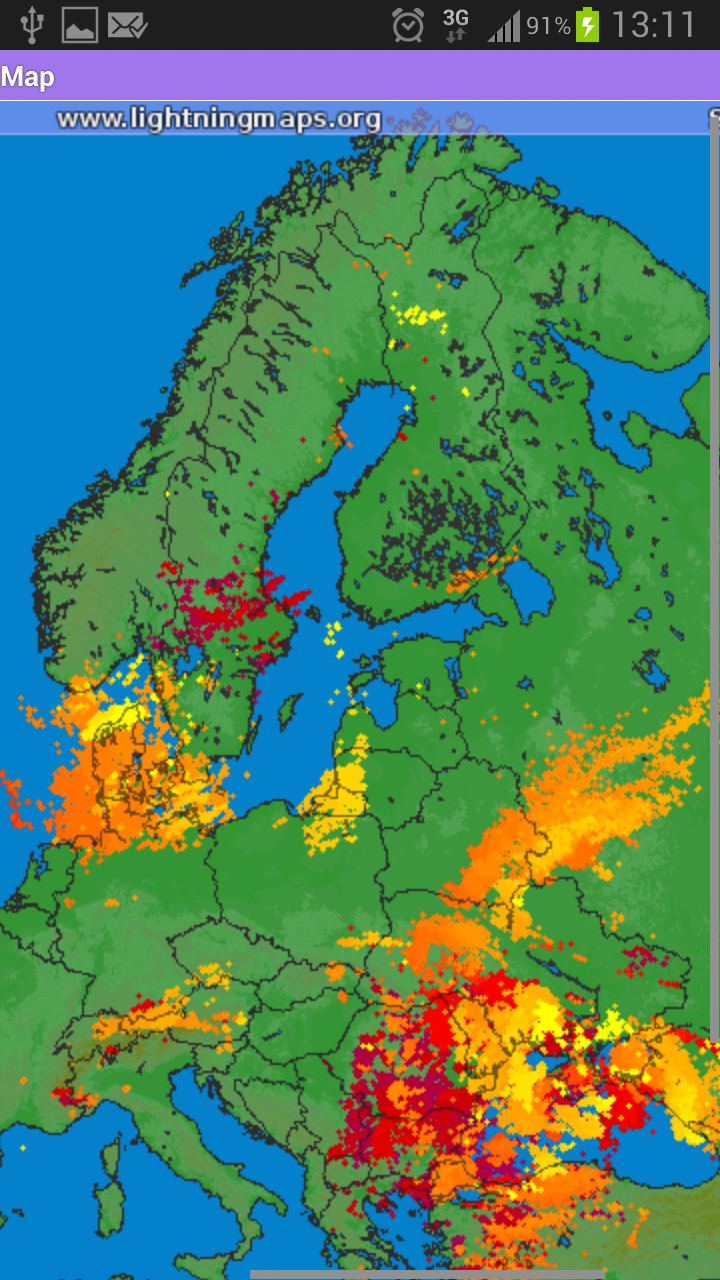
The core appeal here is the lack of abstraction. You aren't shown a "storm risk" percentage. You see the dots. Purple for older strikes, red for current activity. Scanning the map feels like watching a live diagnostic tool rather than a polished consumer product. I found myself using it most during summer afternoons, cross-referencing the strike clusters with local rumbles. It works best when you already have a basic grasp of how weather systems move.
The atmosphere is oddly meditative. You watch clusters of strikes pulse and fade, tracking their drift across the landscape. There’s a learning curve to interpreting the legend, but mastering that system feels rewarding in a niche way. It isn't casual entertainment, it's a functional lens into a natural process most people never think about.
Where the Age Becomes a Limitation
Let’s state the obvious: the last update was released in 2013. Running LightningMaps on a modern Android device feels like booting up a legacy console. The pinch-to-zoom is not smooth, and the app lacks any notification system. You cannot set it to alert you if lightning is detected within a certain radius. You have to open the app and check manually. That is the trade-off for such a lightweight, focused tool.
Compatibility is rarely an issue since it targets Android 2.2 and up, but the map tiles can lag on high-resolution screens. It also works noticeably better over Wi-Fi than mobile data. Loading dense strike layers on a weak cellular signal sometimes causes the interface to hang for a few seconds. These are minor gripes, but they add friction to what should be a seamless check-in.
Who It’s Really For
This app is not for the casual weather widget user. It’s for the person who wants to see raw stroke data without interpretation. Pilots, storm spotters, or genuinely curious individuals will appreciate the straightforward layout. If you expect a polished UI with GPS auto-tracking and push alerts, you will be disappointed. It is a functional relic that still serves its niche perfectly.
One honest tip for new users: pay attention to the UTC offset on the legend. Understanding whether a strike happened five minutes ago or five hours ago is critical, and the app leaves that interpretation entirely up to you. That level of manual involvement is either a dealbreaker or exactly what you are looking for.


-

Caller ID | Clever Dialer
Communication | 24.64MB
Download
-

AmoLatina: Latin Online Dating
Dating | 19.67MB
Download
-

Madrid Theme/ Huawei, Samsung, LG, HTC, Nokia
Sport | 3.05MB
Download
-

MovieFlix: Movies & Web Series
Entertainment | 10.79MB
Download
-

JET Mobile
Business | 31.78MB
Download
-

Radio Singapore
Music & Audio | 22.94MB
Download
-

VeChainThor Wallet
Finance | 48.23MB
Download
-

Invitation Maker - Card Design
Lifestyle | 47.18MB
Download
-

Toyota Entune®
Lifestyle | 35.67 MB
Download
-

Edge Control
Travel | 88.04MB
Download
-

Auto Background Video Recorder
Video Players | 23.80MB
Download
-

Jarvis Assistant Launcher
Personalization | 21.55MB
Download