



PingID is a lightweight Android app that turns a smartphone into a secure authentication key. It simplifies access to business environments by offering push-based approvals, time-based codes, and fingerprint or face verification. Instead of juggling hardware tokens, employees can confirm a sign-in attempt in seconds. This modern approach strengthens account security without adding unnecessary friction to the user workflow.
Core Authentication Tools for Everyday Security
The app delivers several validation methods that work reliably across the current generation of devices. Push notifications are the quickest option, letting users approve or reject a login request straight from the lock screen. A one-time password generator is available for services that depend on manual entry, while biometric checks add another layer of identity assurance. These options allow organizations to tailor the sign-in experience according to the level of protection required.
Beyond basic validation, the platform tracks each authentication event and provides clear status updates. That visibility is useful for spotting suspicious activity before it becomes a problem. Users receive alerts when a login attempt lacks the expected credentials, which makes it easier to react quickly. For administrators, the same tooling helps enforce access policies without piling extra work onto IT teams.
Interface Design and Everyday Workflow
The app's interface feels clean and uncluttered, which matters for software people open several times a day. The home screen displays the last method used and the timestamp of the most recent request. Managing multiple linked accounts is straightforward, and switching between them takes only a few taps. The layout follows the visual conventions of Android 9.0 and newer, so interaction remains smooth on older hardware.
Performance is another area where the app shows discipline. It stays quiet in the background and drains very little battery while waiting for alerts. When a push request arrives, the notification appears instantly and includes the name of the service that is asking for access. This shortens the time between a login prompt and the user's confirmation, which is helpful in fast-paced work environments.
Getting Set Up with PingID on Your Android Device
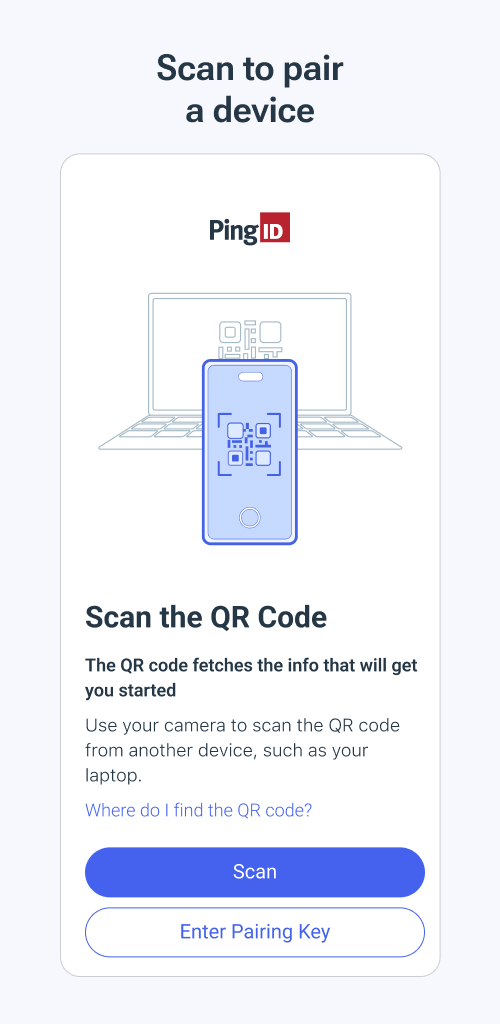
Installing PingID is simple. Download the app from a trusted store or direct APK link, then follow the on-screen pairing steps. Most setups involve scanning a QR code or entering a short activation link supplied by your employer. After that, the phone is ready to receive push requests and generate passcodes. The whole configuration usually finishes within a few minutes, and the software can be used on the go without extra steps.


-

Caller ID | Clever Dialer
Communication | 24.64MB
Download
-

AmoLatina: Latin Online Dating
Dating | 19.67MB
Download
-

Madrid Theme/ Huawei, Samsung, LG, HTC, Nokia
Sport | 3.05MB
Download
-

MovieFlix: Movies & Web Series
Entertainment | 10.79MB
Download
-

JET Mobile
Business | 31.78MB
Download
-

Radio Singapore
Music & Audio | 22.94MB
Download
-

VeChainThor Wallet
Finance | 48.23MB
Download
-

Invitation Maker - Card Design
Lifestyle | 47.18MB
Download
-

Toyota Entune®
Lifestyle | 35.67 MB
Download
-

Edge Control
Travel | 88.04MB
Download
-

Auto Background Video Recorder
Video Players | 23.80MB
Download
-

Jarvis Assistant Launcher
Personalization | 21.55MB
Download